
If your server crashes on startup, the issue may be caused by an incorrect Java version selected in the "Startup" menu. Please follow the instructions below to change the Java version for your server.
How to Change Java Version
1. Go to the Control Panel.
2. Open the Startup menu.
3. Change the Docker Image to one of the following: Java 8, 11, 16, 17 or 21.
| Minecraft Version | Recommended Java Version |
| 1.8 to 1.11 | Java 8 |
| 1.12 to 1.16.4 | Java 11 |
| 1.16.5 | Java 16 |
| 1.17.1 to 1.20.4 | Java 17 |
| 1.20.4+ | Java 21 |
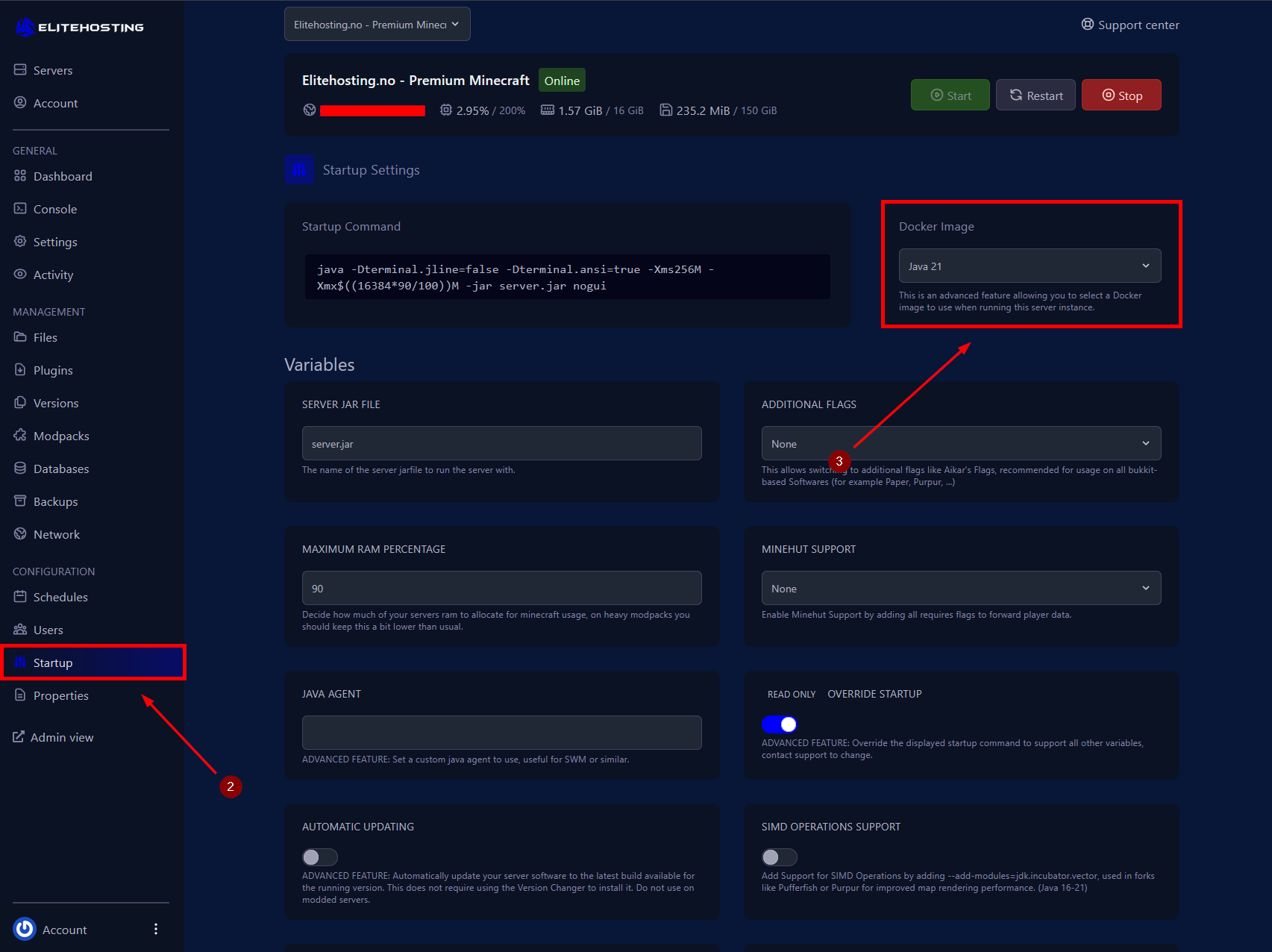
4. Start your server.
If you need further assistance, please contact us here: https://elitehosting.no/submitticket.php