
Follow the instructions in the article here to update the modpack to the latest version.
Modpack Update
1. Go to Control Panel
2. Stop the server.
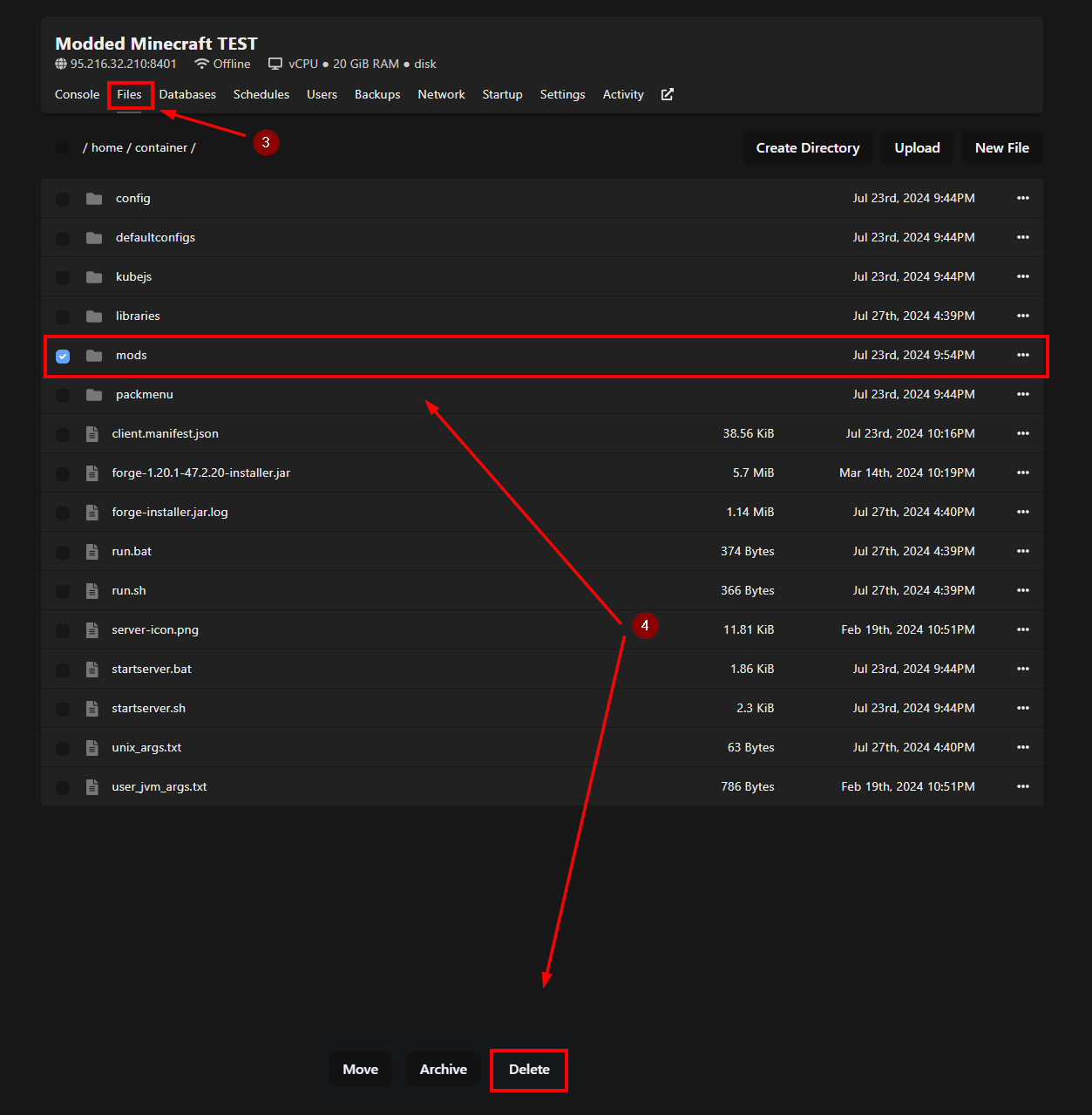
3. Go to the Files menu.
4. Delete the mods folder.
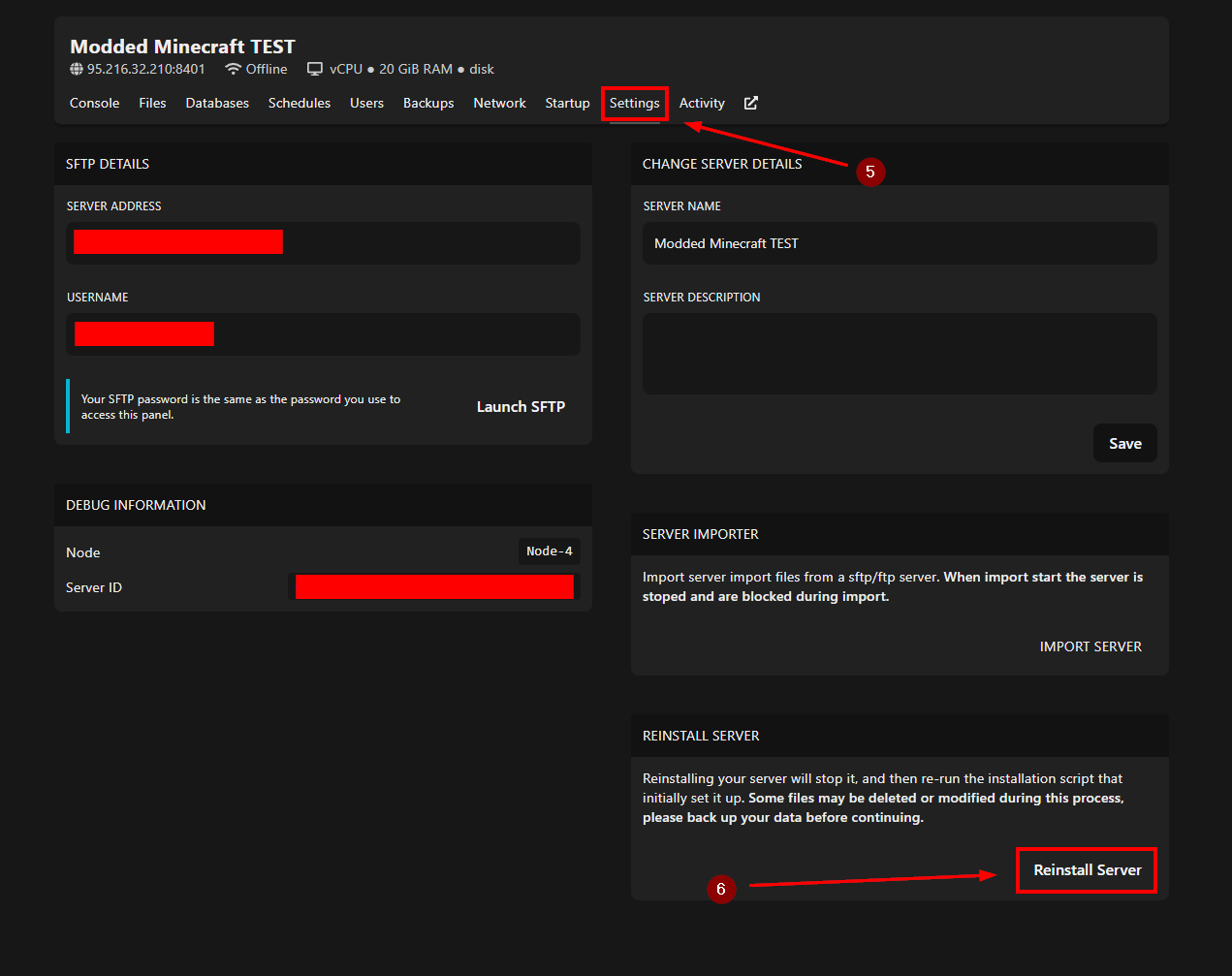
5. Go to the Settings menu.
6. Click on Reinstall Server.
7. Start the server.
If you need more help, please contact us here: https://elitehosting.no/submitticket.php