
Normally, you would have to manually edit the server.properties file to enable command blocks. But with us, we've made it easy — you don't need to use SFTP or edit any files yourself.
How to Enable Command Blocks
1. Go to the Control Panel
2. Stop the server.
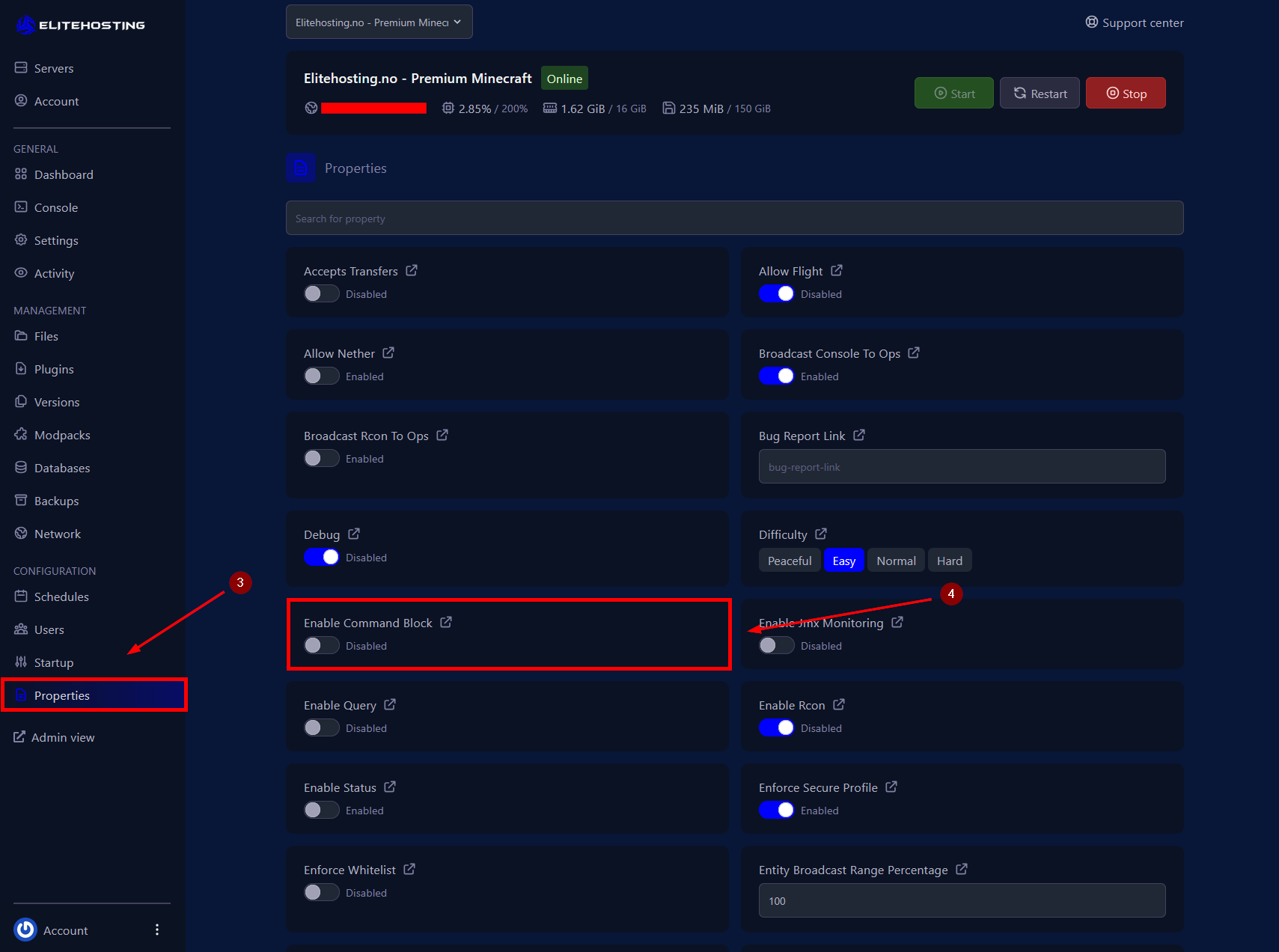
3. Go to the Properties menu.
4. Click the Enable Command Block button to toggle it on or off. When enabled, command blocks will work on your server.
5. Start the server.
If you need further assistance, please contact us here: https://elitehosting.no/submitticket.php