
This guide shows you how to install plugins on your Minecraft server using the built-in Plugin Installer in the control panel, or manually via SFTP (e.g. with FileZilla).
How to install plugins via the Plugins menu
1. Go to the Control Panel
2. Stop the server.
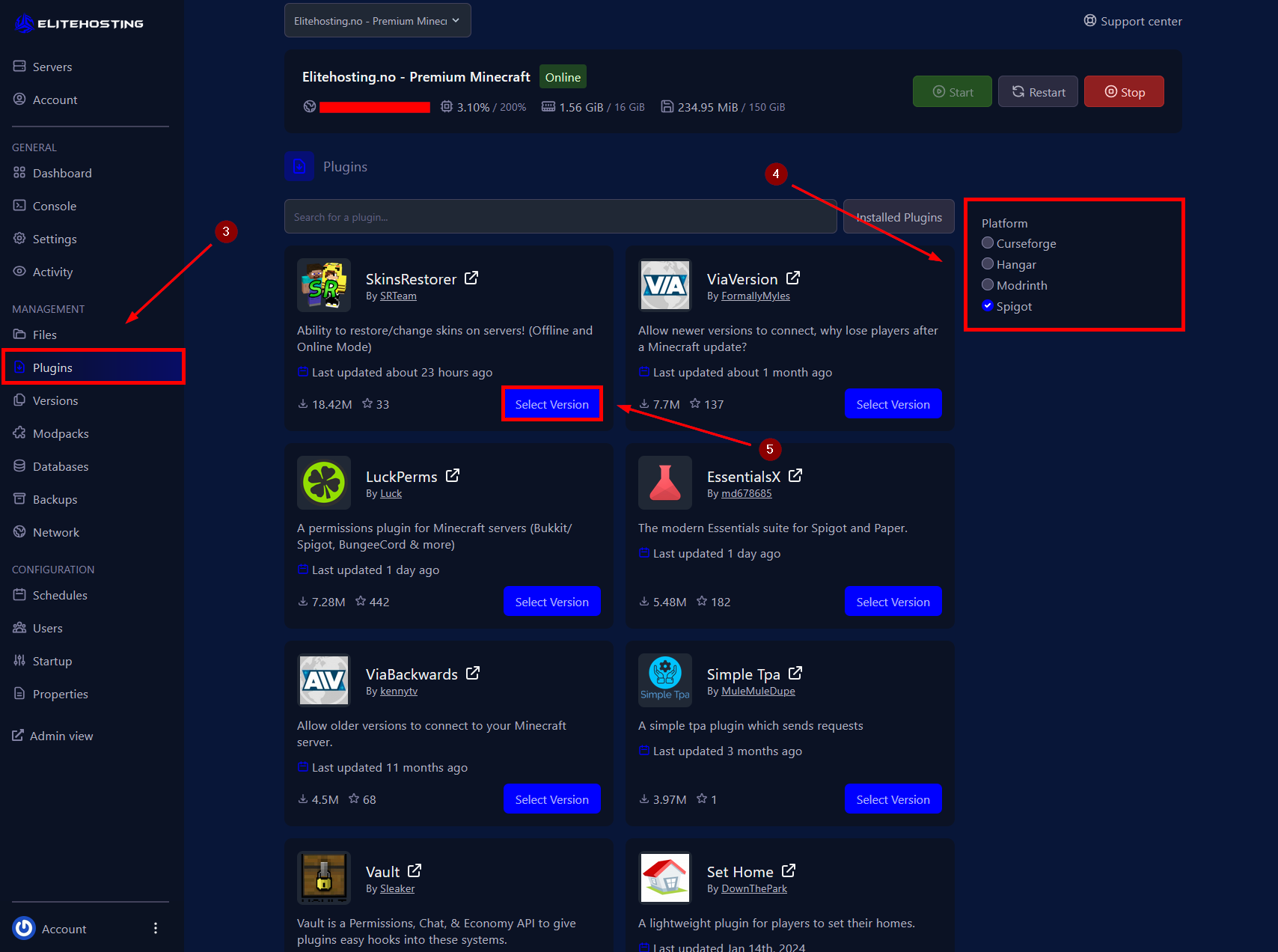
3. Open the Plugins menu.
4. Choose your preferred platform: CurseForge – Hangar – Modrinth – Spigot (Recommended)
5. Click Select Version, choose the desired version, and then click Install.
6. Start the server.
How to install plugins via sFTP
1. Go to the Control Panel
2. Stop the server.
3. Connect to the server via the sFTP file manager. How to connect to sFTP?
4. Navigate to the plugins folder.
5. Upload the plugin files you want to use.
6. Start the server.
If you need more help, please contact us here: https://elitehosting.no/submitticket.php