
Learn how to transfer your own Valheim world to the server using the control panel or sFTP.
Upload Your Local Valheim World to the Server
1. Locate the world you want to upload from your PC. Go to C:\Users\<username>\AppData\LocalLow\IronGate\Valheim\worlds and find the .db and .fwl files you wish to upload.
2. Go to the control panel.
3. Stop the server.
4. Upload your world files to /home/container/.config/unity3d/IronGate/Valheim/worlds_local using the built-in file manager or via sFTP.
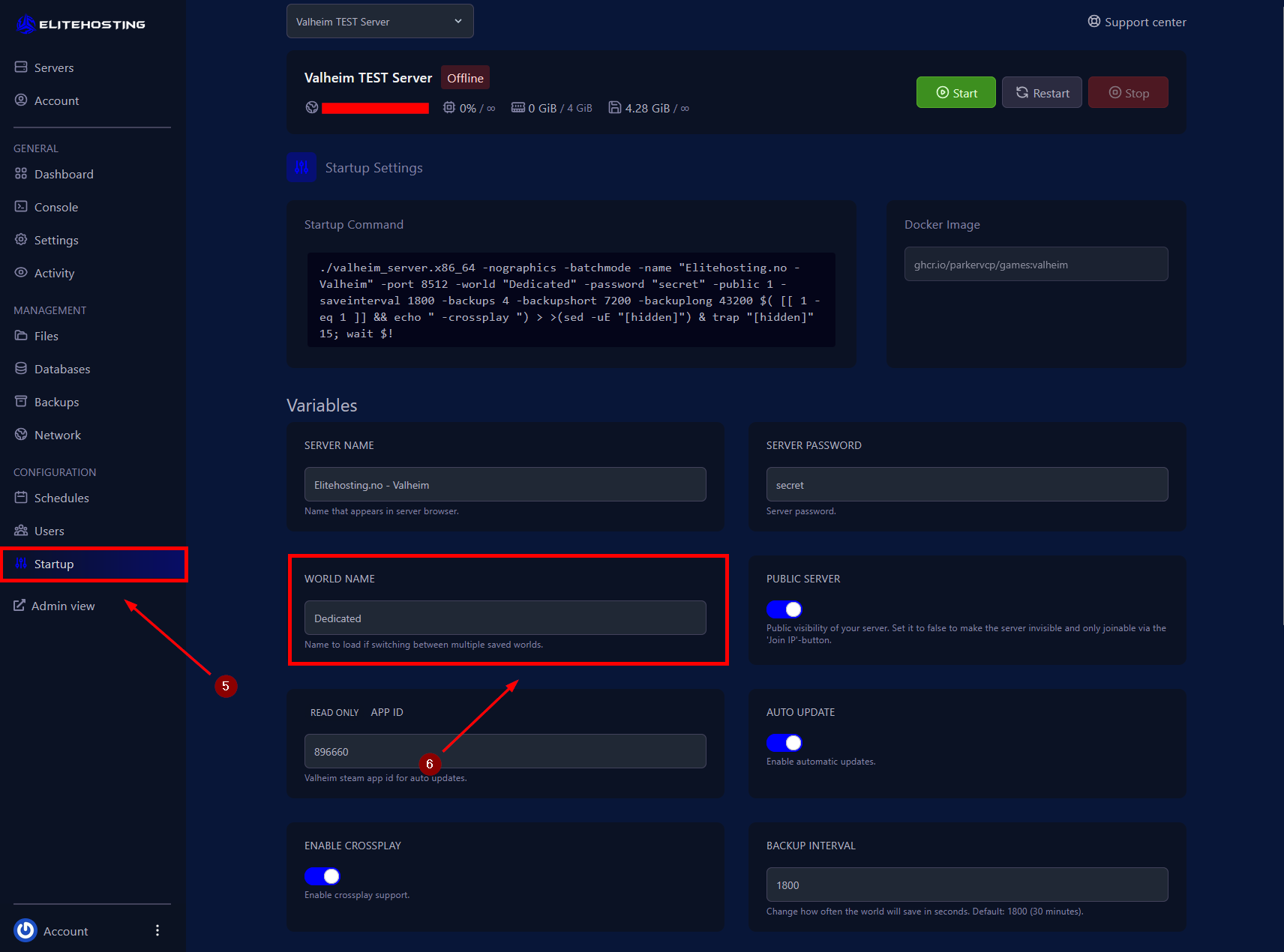
5. Navigate to the Startup menu.
6. Change the WORLD NAME under the Setup section to match the name of the world file you uploaded.
7. Start the server.
If you need further assistance, please contact us here: https://elitehosting.no/submitticket.php