
This article shows you how to easily download the world from your server. Follow the instructions below to do this directly from the control panel.
How to Download the World from the Server
1. Go to the Control Panel
2. Stop the server.
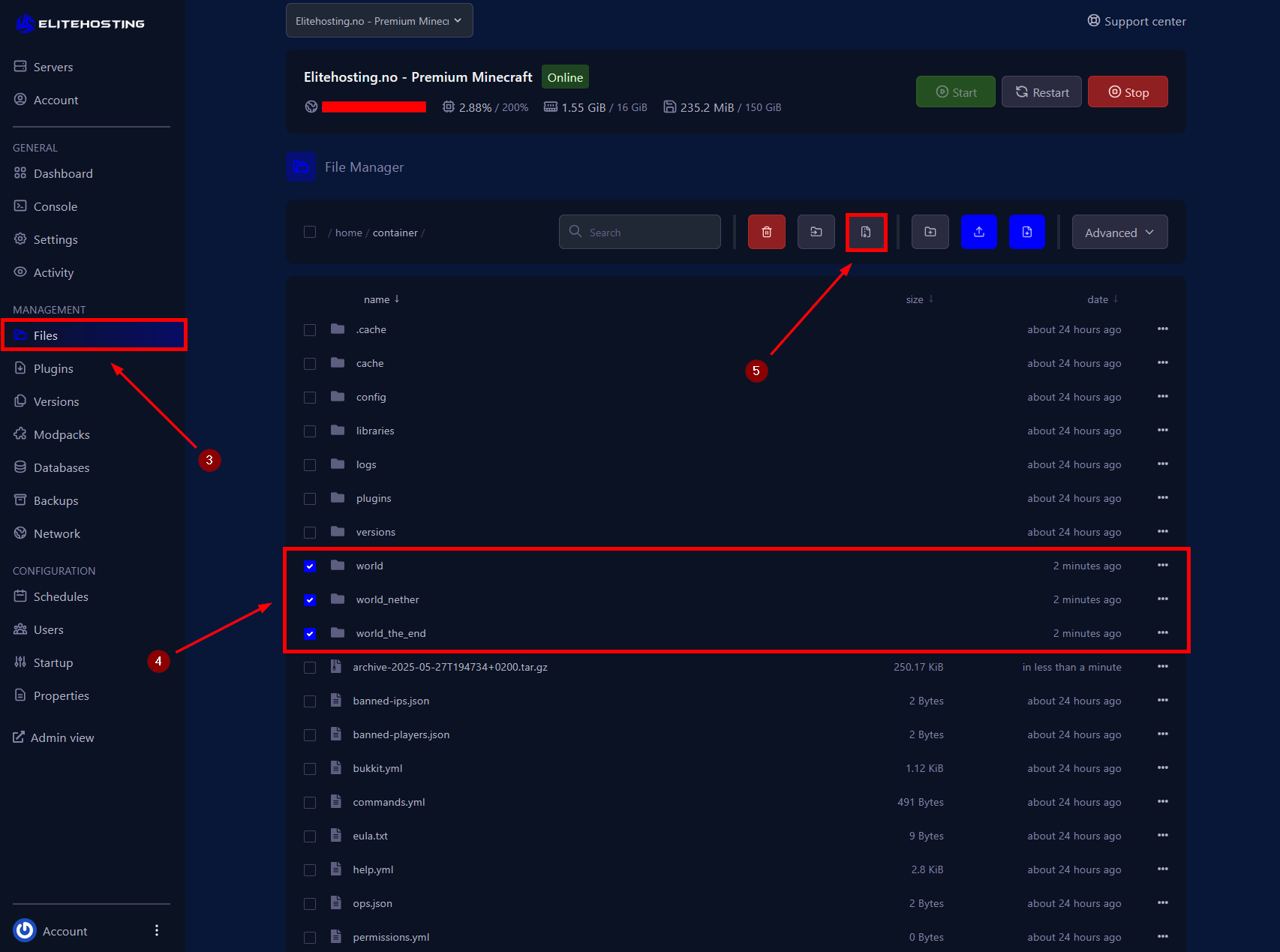
3. Go to the Files menu.
4.Locate the world folders. These are usually named world, world_nether, and world_the_end.
5. Compress these folders into a .tar.gz file. See the screenshot below:
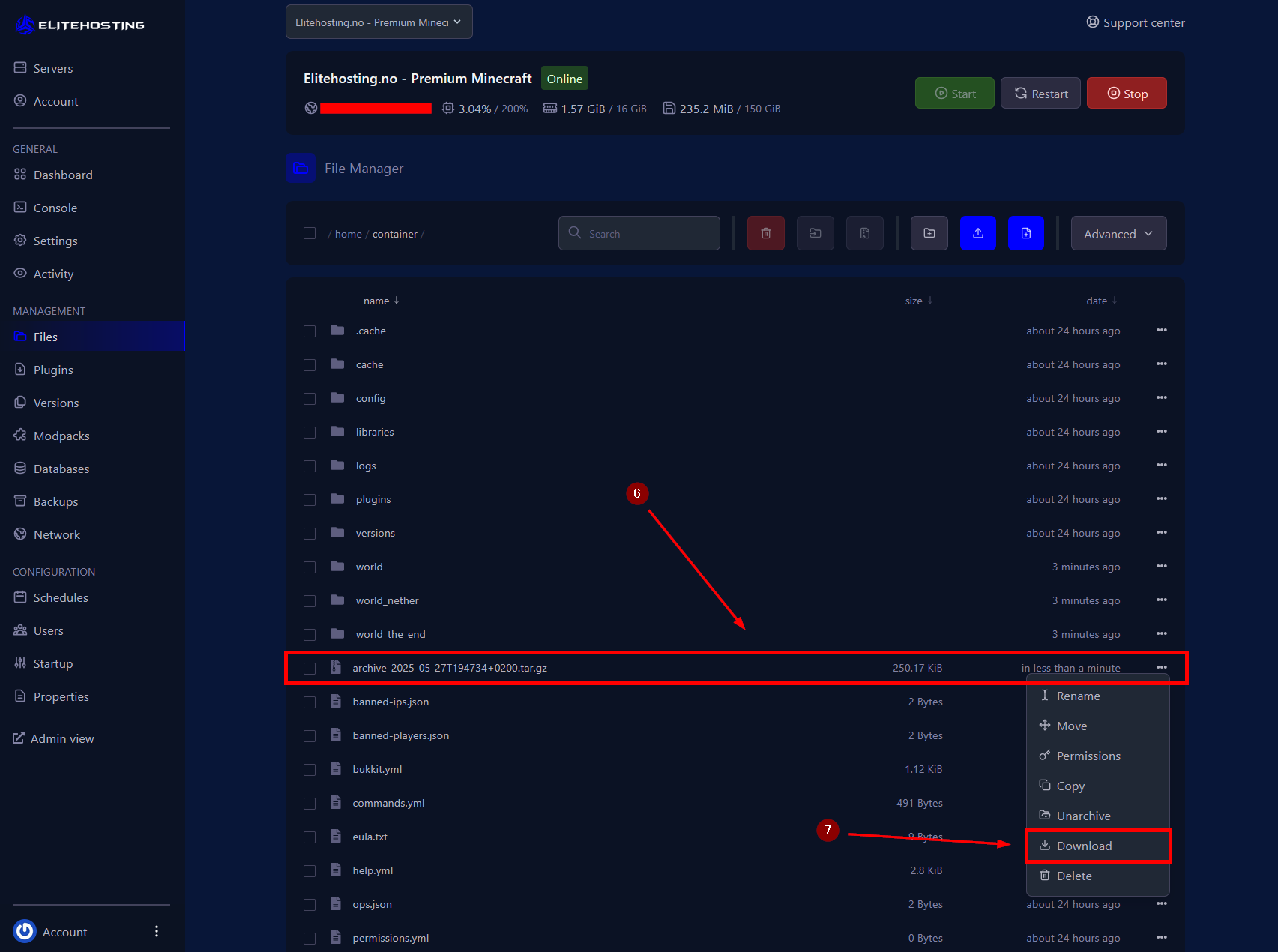
6. Locate the compressed file, and click the three dots to the right of it (...).
7.Click Download.
If you need further assistance, feel free to contact us here: https://elitehosting.no/submitticket.php