This guide shows you how to create a MySQL database for your Minecraft server directly from the control panel. This is required if you're using plugins or modpacks that need database access, such as LuckPerms, Dynmap, or similar.
Creating a Database (MySQL)
1. Go to your server in the control panel.
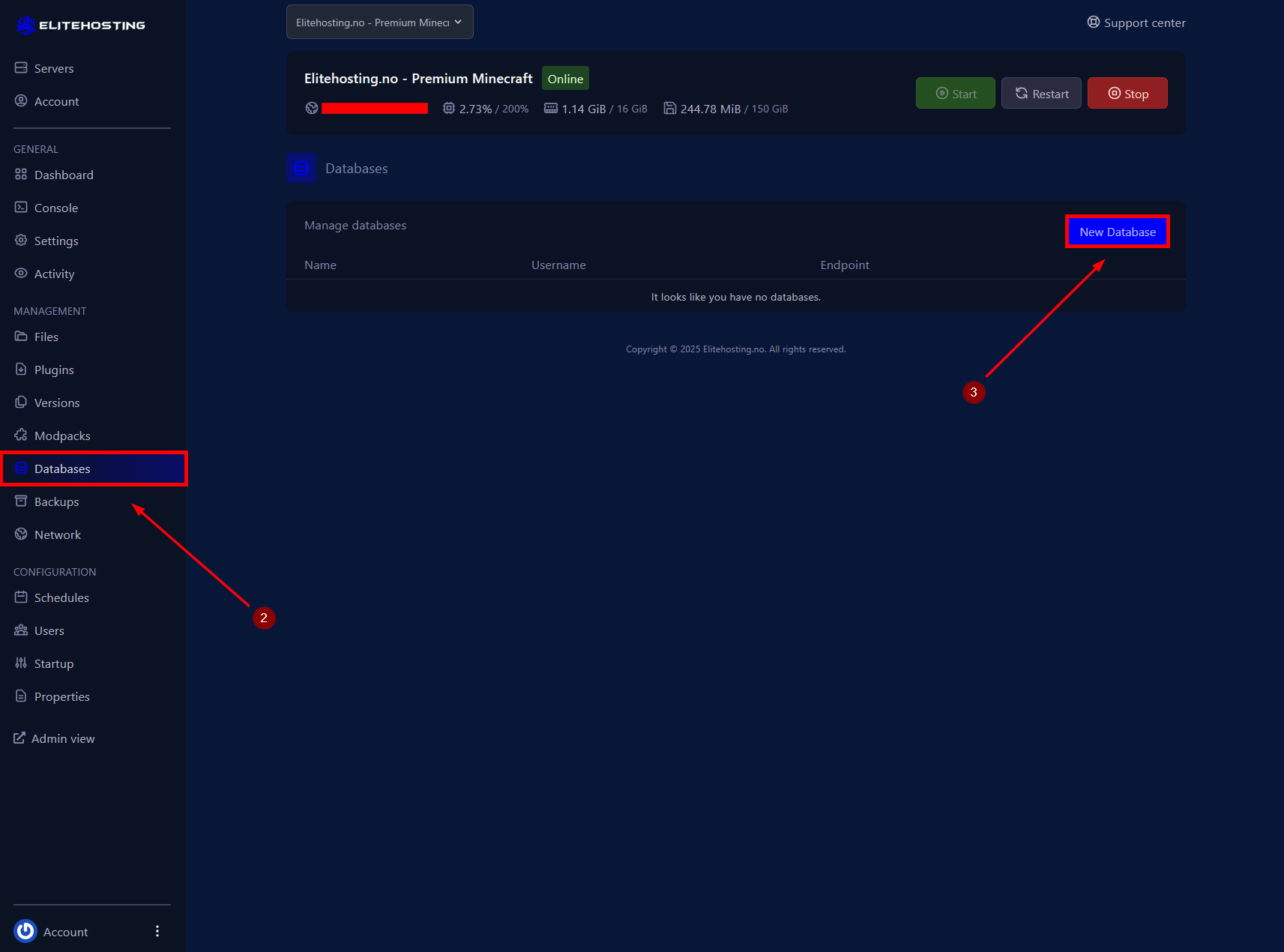
2. Navigate to the Databases menu.
3. Click on New Database.
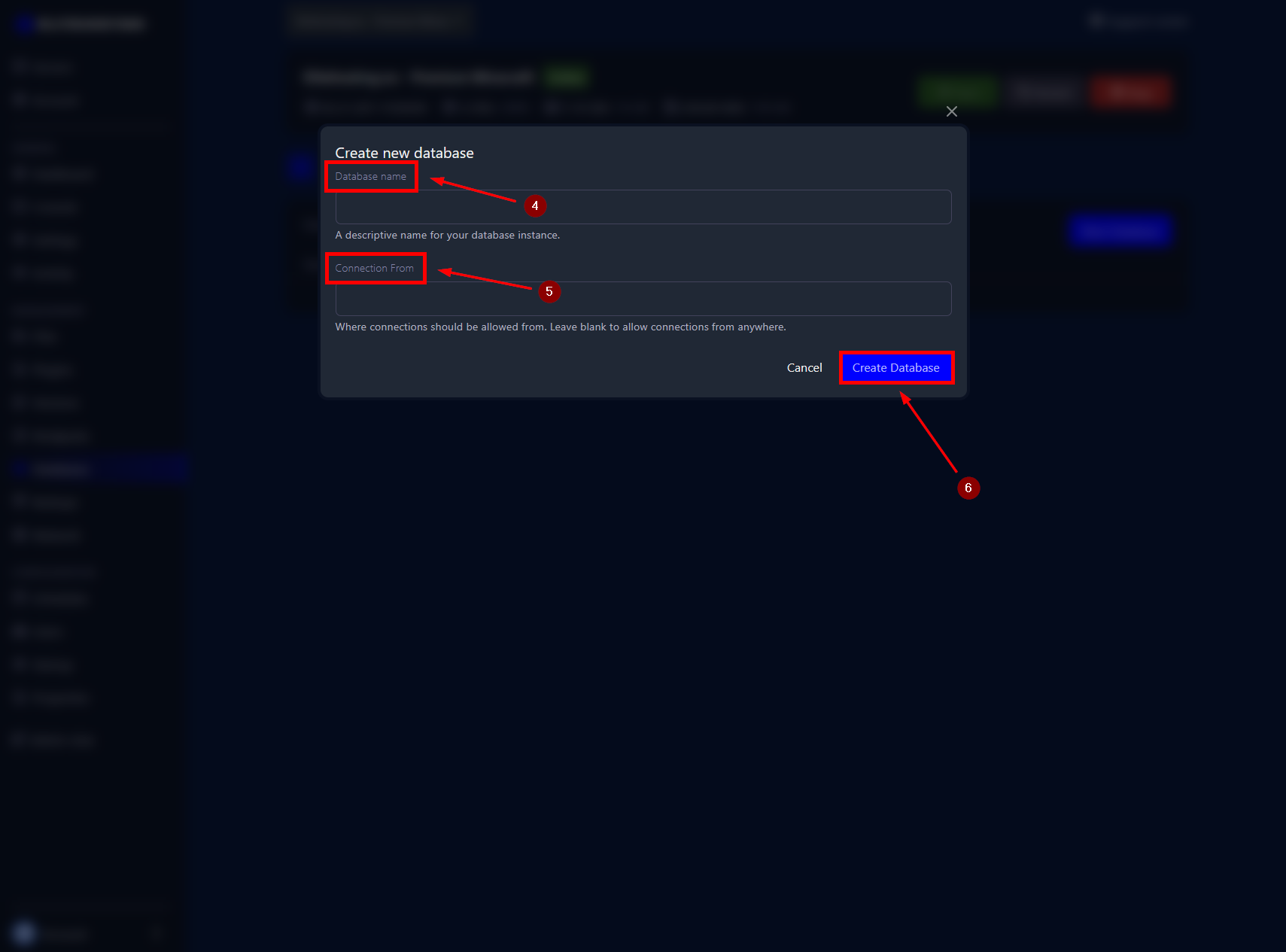
4. Enter a name for the database.
5. Choose where to allow connections from. Leave this blank to allow connections from anywhere.
6. Click Create Database to create the database.
If you need further assistance, please contact us here: https://elitehosting.no/submitticket.php